
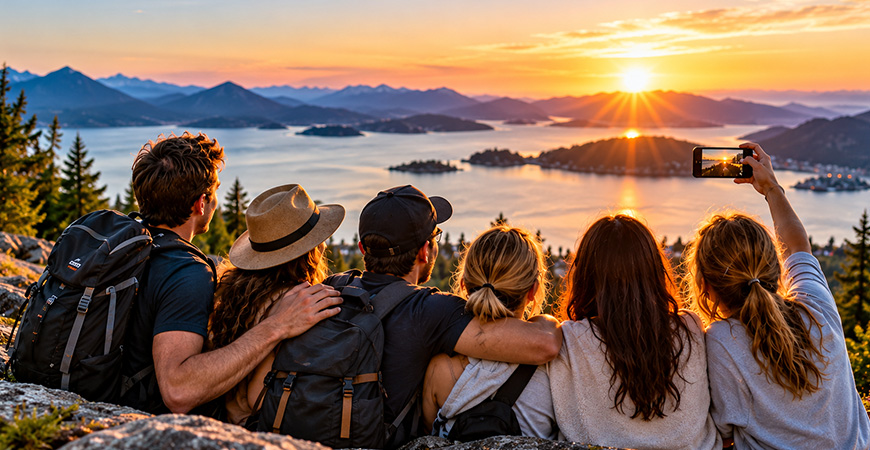
A vacation rarely lives on just one phone.
One person captures the group dinner, someone else gets the perfect sunset, and another person takes dozens of photos during an excursion. By the end of the trip, everyone has a different part of the story.
The challenge is bringing those photos together without relying on social media, sending hundreds of images through group chats, or leaving everyone with separate collections scattered across their devices.
Private vacation photo sharing gives families and groups a simpler option. Everyone can contribute their photos to one shared place, giving the whole group a more complete collection of the trip while keeping those memories between the people you choose.
Vacation photo sharing is the process of collecting and sharing travel photos with family, friends or a group through a common album, often allowing multiple people to contribute their own pictures.
Why Vacation Photos Are So Easy to Lose Track Of
During a trip, people naturally take photos independently. Some use their phones, others use tablets or cameras, and everyone tends to capture different moments.
That works well while you’re travelling, but it becomes more complicated when you get home.
Photos may be shared through text messages, messaging apps, email, cloud-storage links, and social media. Some never get shared at all. Even when everyone intends to exchange their pictures later, it’s easy for those photos to remain on individual devices.
A shared vacation album solves a different problem than simply sending someone a picture. Instead of exchanging photos one at a time, the group creates one collection that everyone can contribute to.
Group Vacation Photo Sharing Tells the Whole Story
One of the advantages of travelling with other people is that no two people experience the trip in exactly the same way.
On a family vacation, parents may photograph the children while the children capture candid moments of their parents. On a trip with friends, one person may take pictures of the scenery while someone else documents the meals, activities, and people along the way.
Bringing those perspectives together creates a much richer record of the vacation.
A shared album can become the collective story of the trip rather than one person’s camera roll.
This works for many kinds of travel and adventures, including family vacations, road trips, camping trips, ski holidays, cruises, destination weddings, reunions, and trips with friends.
Whether you call them vacation photos, travel memories, or holiday photos, bringing everyone’s pictures together makes them easier to share, enjoy, and revisit later.
A simple approach is to create a shared album for the trip and invite everyone who will be contributing photos.
Give the album a recognizable name—the destination, event, or year works well—and invite the people travelling with you. Everyone can then contribute photos as the vacation unfolds or add them when they have time.
There’s no need for every person to upload every picture they take. People can contribute the moments they think the rest of the group will enjoy.
By the end of the vacation, the shared album has already begun to tell the story of the trip.
This also avoids the familiar post-vacation exchange of messages asking, “Can you send me that photo?”
Think About Privacy Before You Share
Vacation photos can reveal more than we sometimes realize.
They may show children, family members, hotel locations, activities, travel dates, and other personal details. That doesn’t mean vacation photos shouldn’t be shared, but it does make it worth considering where and with whom they are being shared.
Posting a collection publicly on social media is very different from sharing it privately with the people who travelled with you.
For families and groups that don’t want their vacation to become public content, an invitation-only album provides a more controlled approach. The people creating and sharing the memories decide who is included.
This is especially useful when children or other family members are in the photos and not everyone in the group is comfortable having their images posted publicly.
You Don’t Need Social Media to Share a Vacation
Social media is convenient when the goal is to broadcast photos to a large audience. It’s less necessary when the goal is simply to share them with the people who matter.
A private vacation album removes many of the distractions that come with a social feed. There are no public posts to manage, and people don’t need to share the vacation with acquaintances or strangers simply to make the photos available to family and friends.
The experience becomes closer to the traditional family photo album: the album exists for the people connected to the memories.
For groups already reconsidering how much of their personal lives they post publicly, vacation photo sharing is a natural place to make that distinction.
Sharing During the Trip or After You Get Home?
Both approaches work, and many groups use a combination of the two.
Sharing during the vacation means the album develops alongside the trip. Someone can add photos from breakfast while another person contributes pictures from an afternoon excursion. People who are part of the group can see moments they may have missed.
Waiting until afterward can be useful when people prefer to enjoy the trip first and sort through their photographs when they return home.
A good shared album doesn’t require everyone to use it in exactly the same way. What matters is having a common destination for the photos when people are ready to contribute them.
Keep the Vacation Album After the Vacation Ends
A vacation album becomes more valuable when it isn’t treated as something temporary.
Months or years later, the collection can bring back details that would otherwise be forgotten: a restaurant you discovered, an unexpected stop on a road trip, a funny moment at the airport, or a photograph someone else took that you never knew existed.
Keeping the photos together also makes it easier to revisit the trip as a group.
Instead of searching through individual camera rolls, the vacation remains collected in one place.
From Everyone’s Phones to the Living Room

Looking at vacation photos doesn’t have to mean passing a phone around the room.
One of the most enjoyable parts of returning from a trip can be sitting down together and going through what everyone photographed.
Displaying a shared vacation album on a television turns that into a group experience. Families can revisit a trip together, friends can relive an adventure, and people who couldn’t travel with the group can see what happened on a larger screen.
It brings back some of the experience of looking through traditional vacation slides or photo albums together, but with contributions from everyone who was there.
Using Tapestry for Private Vacation Photo Sharing
Tapestry Show is designed around this kind of collaborative sharing.
You can create a private Show for a vacation and invite family members or friends to participate. Everyone who is invited can contribute their own photos, allowing the collection to grow from multiple perspectives rather than relying on one person’s camera roll.
Shows are invitation-only, with no public profiles, advertising, or social media feed. That makes them suitable for groups that want to share travel memories without posting them publicly.
When the trip is over, the same Show can be enjoyed on a television using Tapestry’s TV companion apps, turning the group’s collection into a shared slideshow.
If you want to learn more about using Tapestry specifically for travel, visit our Private Vacation Photo Sharing for Families & Groups page.
Tips for a Better Shared Vacation Album
You don’t need complicated rules, but a little organization helps.
Give the album a clear name so everyone recognizes it, invite participants early, and encourage people to contribute their best or most interesting photos rather than feeling obligated to upload everything.
Include candid moments as well as posed group photographs. The unexpected pictures often become the ones people value most later.
Most importantly, make sure everyone understands who has access to the album before contributing personal photographs.
A Vacation Is Better Remembered Together
A great vacation is made up of more than the photographs on one person’s phone.
Everyone notices different things, captures different moments, and remembers the experience from a slightly different perspective. Bringing those photographs together creates a more complete record of the trip.
Private vacation photo sharing lets families and friends preserve that collective story without having to turn personal memories into public social media content.
The vacation may end, but the shared album can remain a place everyone returns to.
Frequently Asked Questions
What is the easiest way to share vacation photos with family and friends?
A shared photo album is one of the simplest options because everyone can contribute to the same collection rather than sending individual photos through text messages, email, or group chats.
Can everyone add photos to a shared vacation album?
That depends on the service being used. Collaborative photo-sharing apps such as Tapestry allow invited members to contribute their own photos to a shared album.
How can I share vacation photos without social media?
Use a private, invitation-only photo-sharing service. This allows you to share photos directly with selected family members or friends instead of posting them to a public or semi-public social network.
Should we create the shared album before or after our vacation?
Creating it before or during the trip makes it easier for everyone to begin contributing immediately. However, people can also add their photos after returning home.
How do I keep family vacation photos private?
Choose a service that provides invitation-only access and check who has access before uploading. Avoid publicly accessible links or social media posts when the photos are intended only for your family or travel group.
Can we watch our vacation photos on a TV?
Yes, depending on the photo-sharing service. Tapestry supports viewing shared albums through its TV companion apps, allowing a group to enjoy vacation photos together on a larger screen.